The 2026 accessories market promises slimmer chargers, smarter wearables, stronger cases, and more connected devices. Yet convenience can hide costly mistakes. This guide asks, What mistakes to avoid when using accessories, before a purchase becomes a safety, compatibility, or waste problem.
The Global E-waste Monitor 2024 reported 62 billion kilograms of electronic waste in 2022. Only 22.3% was formally collected and recycled. Small accessories still contribute to this growing stream. A forgotten cable can fill a drawer. A cheap charger may overheat beside a bed. Buyers should check certification marks, power ratings, connector standards, warranty terms, and repair options. Marketing language is not technical proof.
iFixit CEO Kyle Wiens has said, “If you can’t fix it, you don’t own it.” That principle matters when comparing sealed power banks, glued cases, and disposable smart-device accessories. A low price feels attractive. Replacement costs may tell another story. Compatibility lists can also be incomplete, especially after firmware updates. I have learned that a tidy setup can still be poorly planned. This guide will examine practical buying and usage errors, including overloaded adapters, damaged cables, blocked ventilation, unclear data permissions, and accessories used outside their intended limits. The checklist will not be perfect. Product standards change. Personal habits matter, too. Careful readers should verify current manufacturer guidance before relying on any accessory.
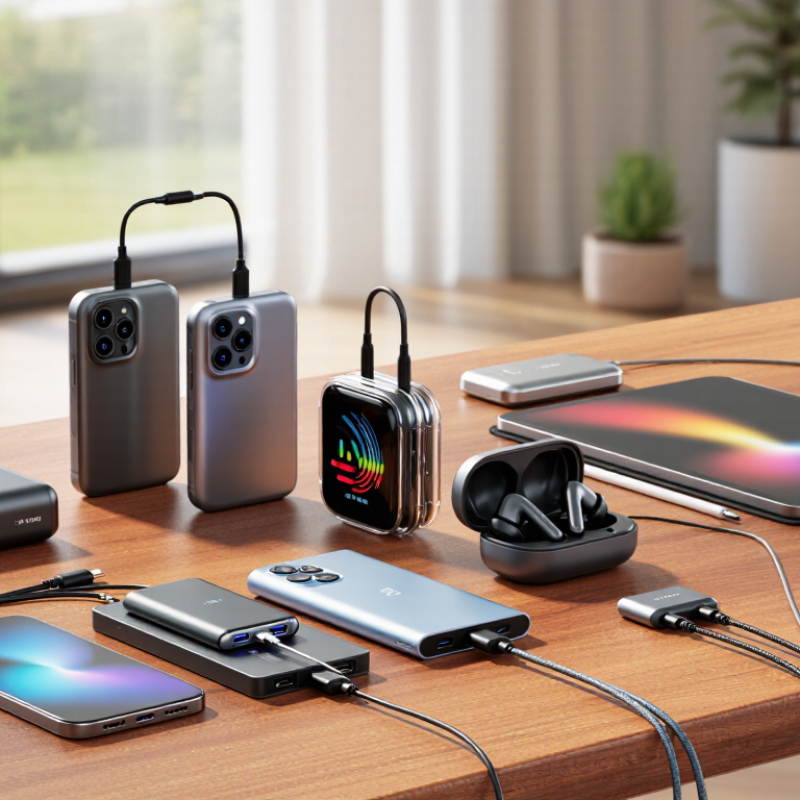
Before buying any accessory, define the exact job it must perform. A travel charger, desk stand, and gaming controller solve very different problems. “Useful someday” is rarely a reliable buying reason. Write down the device, task, location, and expected usage time. This small exercise prevents attractive but unsuitable purchases.
Check compatibility beyond connector shape. Confirm operating-system support, power requirements, dimensions, mounting standards, and wireless functions. A cable may fit physically but charge too slowly. A stand may hold a tablet yet block its speakers or camera. For daily work, test comfort, adjustment range, heat, and cleaning effort. Small inconveniences become expensive when repeated every morning.
I once chose a compact accessory because it looked efficient. It saved space, but its short cable forced an awkward desk position. That judgment was wrong. Real use matters more than photographs. Read technical specifications from dependable sources, then compare them with the device manual. User reviews can reveal loose hinges, weak magnets, or confusing controls, but individual experiences are not proof. Leave room for error. Your task may change, and an accessory designed for one narrow use can become clutter after a few months. For shared spaces, consider noise, storage, and whether other users can operate it safely. Test the most important feature first, not the most impressive one.
No. The 46 Gbps figure describes ideal laboratory conditions. Walls, distance, nearby networks, and older devices reduce actual speeds. Home performance may be much lower.
Confirm the router’s supported bands and channel width. Check 6 GHz support, multi-link operation, security standards, and antenna placement. The operating system may also limit performance.
Use a local file transfer, not only an internet speed test. Test near the router first. Then test behind two walls. Record speed, latency, and stability.
Yes. A crowded USB port may interfere with an adapter. I once blamed the router incorrectly. That mistake changed my testing routine. Small details matter.
Not always. Weak wireless backhaul can reduce stability across large spaces. Wired backhaul usually performs better. Room layout still matters.
Verify its output voltage, current, connector type, and device requirements. Check certification through an official testing organization or database. A printed logo alone proves little.
Stop using batteries with swelling, dents, leaking fluid, damaged wrapping, or unusual smells. Do not use a battery that becomes hot while idle. Heat deserves investigation.
Include shipping, adapters, cables, warranty limits, and replacement risk. Check dimensions, connectors, power needs, and supported devices. A cheap item may need expensive extras.
Check the coverage period, repair process, exclusions, return deadline, and replacement shipping costs. Keep receipts and installation records. My estimates are not always accurate.
No. Match it with your devices, room layout, and daily workload. Maximum claims can be technically correct but incomplete. Practical fit matters more.
Buying accessories in 2026 requires more than choosing the newest-looking product. Start by defining your use case and matching each accessory to your device, workload, and daily habits. Verify technical standards before purchasing, especially when dealing with USB-C power delivery, which can support up to 240 W when the device, charger, and cable are all compatible. Also compare performance claims carefully: Wi-Fi 7 may reach a theoretical 46 Gbps under ideal conditions, but real-world results depend on network equipment, distance, interference, and service limits.
A safe purchase should include trustworthy safety testing and clear certification details, particularly for chargers and batteries. Avoid unclear specifications, unsupported promises, and products with uncertain quality control. Finally, calculate the total cost by considering warranty coverage, compatibility requirements, expected lifespan, and the risk of replacement. Understanding what mistakes to avoid when using accessories can help buyers reduce waste, protect their devices, and choose practical products that deliver reliable value over time.

 Vivi Auto Accessories